Review selected text
Select text on a page and send the exact wording into Verity for review.
Review selected wording and page evidence in Chrome, then explicitly send the work you choose to the shared Verity workspace. Continuous page review and drafting checks remain off until you enable them.
Manual-install candidate for advanced testing, version 2.1.3. This is not yet a Chrome Web Store release. Verify SHA-256.
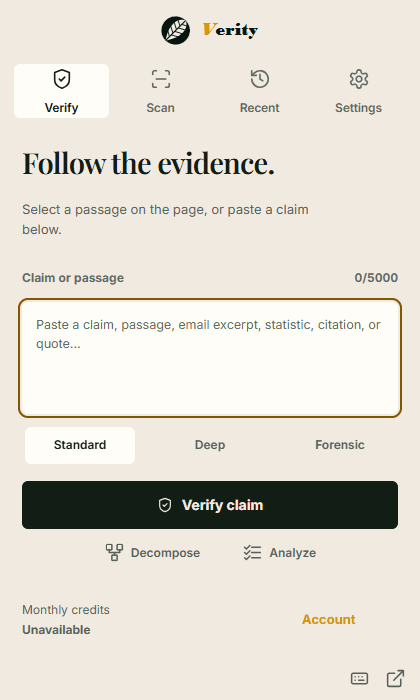
Select text on a page and send the exact wording into Verity for review.
Right-click highlighted text to open the verification route without leaving the page.
Send captures to the authenticated Verity workspace shared by web and desktop.
Manual installation requires Chrome Developer mode. Once signed in, you can explicitly save selected reviews and page-scan summaries to your authenticated Verity workspace.
Step 01
Download the release-candidate ZIP, verify its published checksum, and extract it.
Step 02
Open chrome://extensions, enable Developer mode, choose Load unpacked, and select the extracted folder.
Step 03
Sign in, set verification defaults, and explicitly send the captures you want retained in the shared workspace.
Ctrl+Shift+V
Open Verity popup instantly
Ctrl+Shift+F
Verify selected text on-page
Ctrl+Shift+I
Toggle inline verification mode